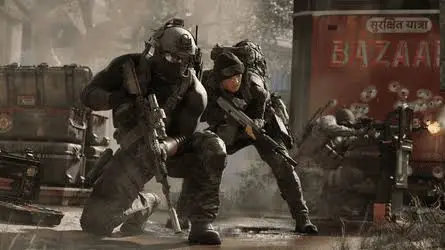
MW4 Elite
2D radar, DMZ loot + vehicles, no recoil/spread, custom crosshair, priority patch queue.

At a glance
Key capabilities
What Elite focuses on before you open the full module list.
Plus 9 additional modules in the operator portal—see the full list below.
Overview
Full toolkit for MW4 on PC
How this build fits ranked, Turbo, and patch-day workflows.
Elite layers radar, DMZ loot, and misc combat assists on top of Pro—use separate profiles so DMZ clutter does not leak into 6v6.
Check status on the homepage before purchase; profiles should stay conservative after every patch.
Elite is the full package—2D radar with markers and zoom, DMZ loot layers (cash, bags, contracts, extract points, vehicles), no recoil and no spread, plus dual saved configs for 6v6 and DMZ.
Mode-specific layers
Keep DMZ loot and vehicle overlays off in 6v6 so the HUD stays light. Use the second saved profile when you rotate into Hajin DMZ.
Radar, loot, misc
Radar: 2D layout, operator markers, range and zoom. Loot (DMZ): cash and bags in Hajin DMZ, armor and ammo, contracts, extract points, vehicles on farmland roads—toggle off in 6v6. Misc: no recoil, no spread, stream-proof overlay, custom crosshair, two saved configs.
Availability
Elite may show limited availability on the status banner. Complete checkout through the secure flow when slots are open.
Modules
What's included
Every module and overlay shipped with Elite—toggle and tune in the operator portal.
- All Lite + Pro modules
- 2D radar with operator markers
- Radar range and zoom
- DMZ loot: cash, bags, Hajin routes
- Armor, ammo, contracts, extracts
- Vehicle markers on farmland roads
- Loot layer off by default in 6v6
- No recoil & no spread
- Stream-proof overlay
- Custom crosshair
- Two saved configs (6v6 & DMZ)
- Priority update queue
Experience
In the client · After you buy
Use the screenshots above for Elite—below is what each layer means and how access works after checkout.
In-game layers
- Layer A
Season context
Rebuild presets after major balance or anti-cheat updates.
- Layer B
Caution
Treat every build as temporary—check status after patches.
- Layer C
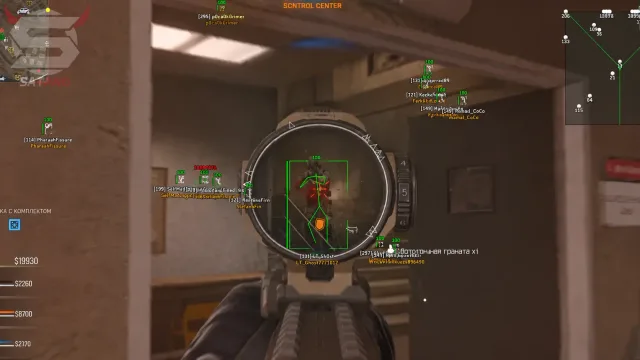
Operator sightline
Framed action for testing overlay readability at range.
Guides
Learn more about Elite
Curated articles for setup, tuning, and patch-day checks that match this product.
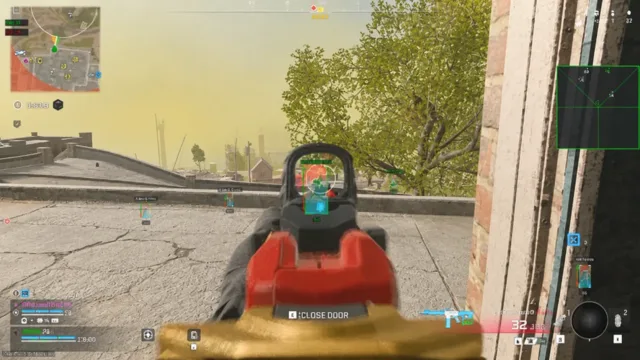
What unlocks when you need every overlay class on PC.
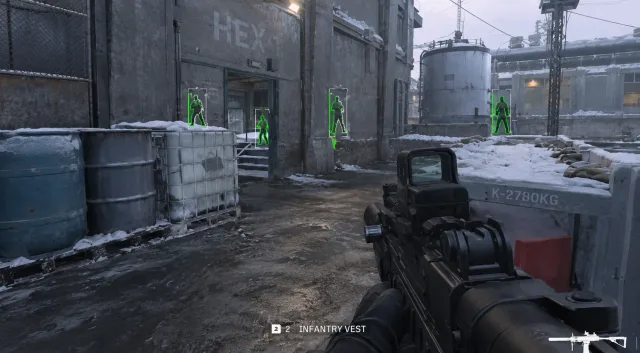
Use markers and loot highlights together without flooding the screen.
Stack 2D radar markers with ESP without double-reading the same threat.
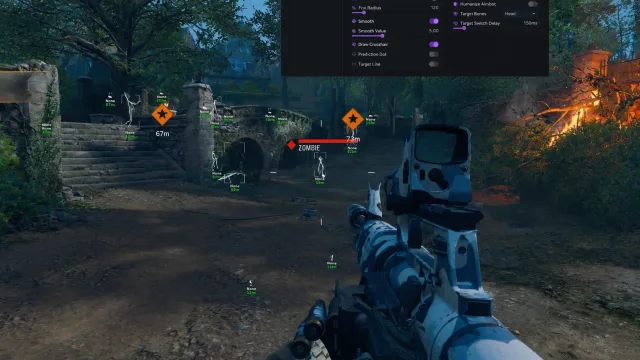
Pause play, read status, reload conservative profiles, then retest offline.
Portal access, order email hygiene, and avoiding fake loader links.
Player overlays on MW4: scale box size, snaplines, and squad colors before the HUD turns to noise—distance caps keep 6v6 callouts readable without clutter on PC.
FAQ
Questions about this page
Answers tied to what you are reading—visit the FAQ page for every topic.